

Description
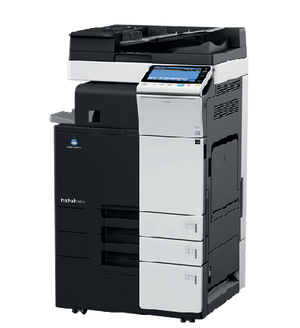
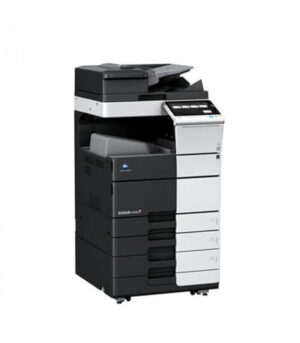
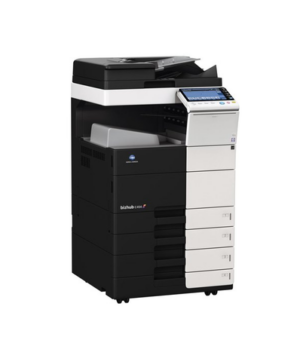
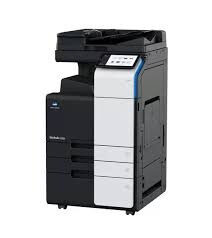
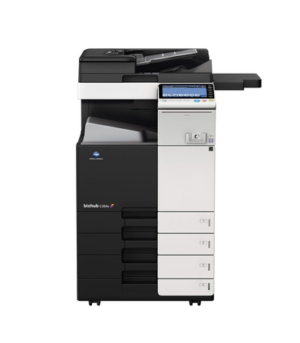
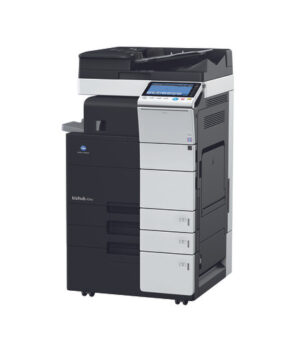
Refurbished Konica Minolta Bizhub B650i Multifunction Printer A4/A3 Mono Certified Refurbished Photocopier 38-Point Quality Inspection Done Print, Copy, Scan, Fax (Optional) 65 Pages Per Minute Recommended Monthly Volume: 65 000 copies Print via Network, USB/Scan to PC | USB | Folder | HDD | Network Duplex Print/Scan new-konica-minolta-bizhub-multifunction-copiers-printers Value Added Services: 1 Year Warranty Included!* 5 Year Service Level Agreement Available We do Delivery & Installation Introducing the Refurbished Konica Minolta Bizhub B650i Multifunction Printer, the ultimate solution for all your office printing needs. This printer offers high-speed printing, scanning, and copying capabilities, allowing you to complete tasks in a fraction of the time. With its advanced security features, you can rest assured that your confidential documents are safe from unauthorized access. The Bizhub B650i also boasts energy-efficient technology, helping you reduce your carbon footprint and save on electricity costs. Plus, its compact design makes it a space-saving option for any office setting. Upgrade your printing experience with the Refurbished Konica Minolta Bizhub B650i Multifunction Printer and enjoy efficient, reliable, and professional-quality results.
Printer Compatibility
This cartridge is intended for: Konica Minolta printers. Confirm the exact printer model before ordering.
Frequently Asked Questions
What is the Refurbished Konica Minolta Bizhub B650i Multifunction Printer?
Refurbished Konica Minolta Bizhub B650i Multifunction Printer is the product listed on this page. Review the specifications and compatibility information before ordering.
Which printers is the Refurbished Konica Minolta Bizhub B650i Multifunction Printer compatible with?
Check the exact printer model and cartridge number against the manufacturer information before ordering.
What is the page yield of the Refurbished Konica Minolta Bizhub B650i Multifunction Printer?
Refer to the Technical Specifications section for the applicable page-yield information.
How do I install the Refurbished Konica Minolta Bizhub B650i Multifunction Printer?
Follow the printer manufacturer instructions and the installation guidance supplied with the cartridge.
How can I confirm I am ordering the correct cartridge?
Check the printer model, cartridge code, colour, and specifications before completing your order.